
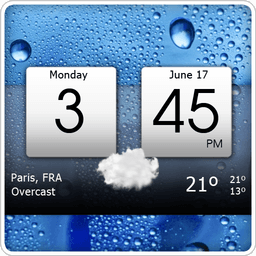
Screenshots
About Digital clock & world weather
Stay on top of time and weather with Digital clock & world weather, the all-in-one app that transforms your home screen into a live information hub. Get instant access to current conditions, forecasts, and precise timekeeping—all without leaving your launcher.
Know what's coming with detailed weather intelligence. View current conditions alongside 7-day and 12-hour forecasts, plus extended outlooks spanning up to 15 days depending on your weather provider. Hourly forecasts up to 36 hours ahead help you plan every moment. Access comprehensive weather data including temperature, precipitation odds, wind speed and direction, atmospheric pressure, UV index, and moon phases. Interactive weather radar displays clouds, rain patterns, temperature zones, and pressure systems in real time.
Customize your experience with powerful personalization options. Choose from multiple widget skins to match your style, adjust colors and backgrounds, and select icon sets that suit your preference. The responsive 4x2 widget displays current weather conditions, time, date, and your next alarm. Quick-launch hotspots let you access your favorite apps directly from the widget without extra taps.
Visual insights matter too. Track sun and moon details, monitor weather patterns through interactive graphs, and follow wind and UV forecasts to stay prepared. Download additional widget skins optionally to expand your customization possibilities even further.
Whether you're planning your day or staying weather-aware, Digital clock & world weather combines elegance with functionality—giving you everything you need at a glance.
Pros & Cons
Pros
- Combines clock, weather, and widgets in one unified home screen hub
- Extensive weather data includes radar, UV index, moon phases, and 15-day forecasts
- Highly customizable widget skins, colors, backgrounds, and icon sets
- Quick-launch hotspots let you open favorite apps directly from the widget
Cons
- Relies on internet connection for real-time weather radar and forecast updates
- Widget customization requires downloading additional skins, consuming device storage
- Accuracy of forecasts depends entirely on chosen weather data provider
- No mention of dark mode or theme options for night-time visibility
Related Apps

HWiNFO
Hardware monitoring for Windows—track CPU temp, GPU load, fan speed, voltage in real time.

TransMac
Read Mac drives and DMG files on Windows. Access APFS/HFS+ storage and create disk images.

Advanced SystemCare Free
System optimization tool: clean, repair, and secure your PC. Remove malware, fix errors, and boost performance.

Display Driver Uninstaller (DDU)
Driver uninstaller for GPU and audio — removes residual files for clean Windows updates

Glary Utilities
PC maintenance and optimization suite — clean, repair, and speed up your Windows computer in one action.

Universal ADB Drivers
ADB drivers for Android: Connect any smartphone to Windows PC without manufacturer software.
Latest Articles
Best AI computer-use agent apps for desktop in 2026 (we tested 7)
Jul 10, 2026
Best apps for a fresh Linux install in 2026 (7 picks the first hour)
Jul 10, 2026
Best apps for AI coding agent sandboxing on desktop in 2026 (we tested 7)
Jul 10, 2026

Best apps for detecting AI-generated images on Android in 2026 (we tested 7)
Jul 10, 2026
Best apps for detecting AI-generated images on desktop in 2026 (we tested 8)
Jul 10, 2026